Modules Insight

Audit installed plugins, assess PHP upgrade risk via the WordPress.org API, and export full reports as JSON or CSV.

How it works

Modules Insight tells you which plugins are likely to break before you upgrade PHP, so you can fix problems on staging instead of discovering them in production.

Install

Install

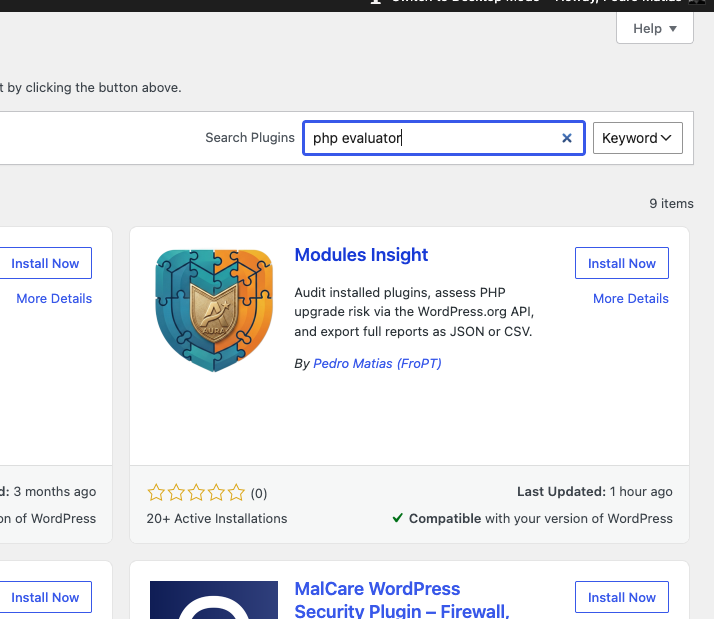
From your dashboard choose Add Plugin and search for "Modules Insight" or "PHP evaluator". Choose Modules Insight and Install now. You may also download it from https://wordpress.org/plugins/modules-insight. Don't forget to activate it
Install
Setup

Scan

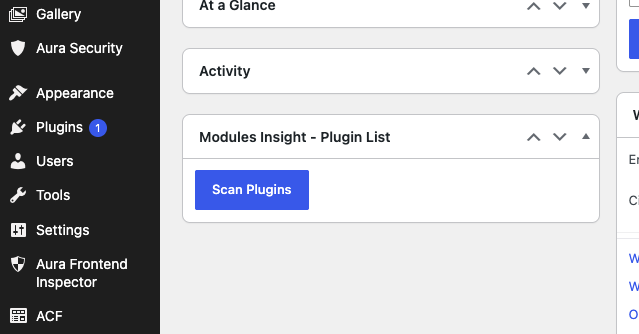
Check your Dashboard for the "Modules Insight - Plugin List" widget, or use the shortcode `[plugin_list]` on any page or post.
Scan
Observe

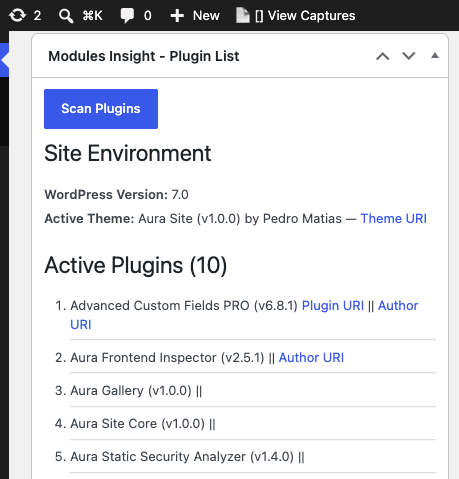
Observe the list of plugins

Scaning loads the plugin list. It will produce a list of the plugins both active and inactive in your installation.
Observe the list of plugins
PHP compatibility

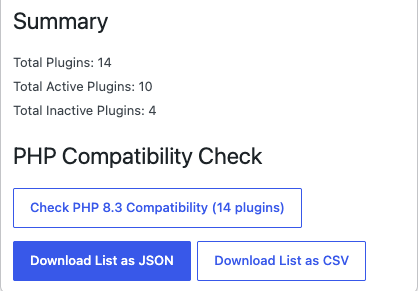
Check PHP 8.3 Compatibility

Press **Check PHP Compatibility** to run the risk evaluation against the WordPress.org API.
Check PHP 8.3 Compatibility
Evaluate

Evaluate or download report

Evaluate or download a .json or .csv report format
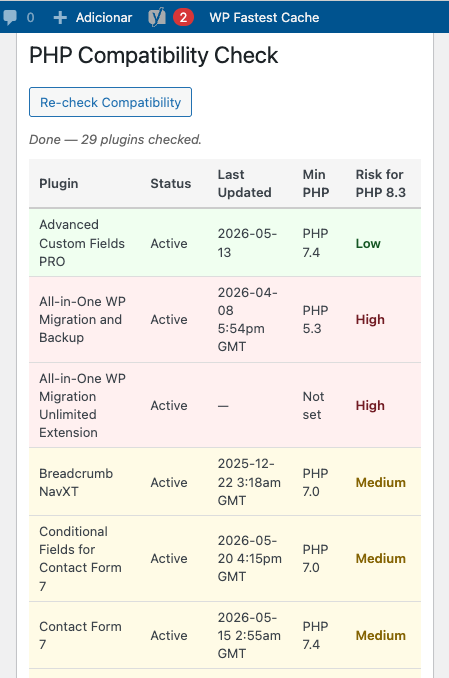
Evaluate or download report

Key benefits

  • Saves time before a PHP upgrade — instead of manually checking each plugin's WP.org page, one click queries the API for every installed plugin and gives a prioritised risk table. On a site with 20+ plugins that's hours reduced to minutes.
  • Gives you a starting point, not a guess — the Low/Medium/High rating tells you where to focus your staging testing. You don't treat all plugins equally; you investigate the High ones first and smoke-test the rest.
  • Works across PHP versions — the target version dropdown (8.0–8.4) means you can plan ahead. Upgrading to 8.1 now and 8.4 later? Run the check twice and compare.
  • Safe to run on live sites — completely read-only, nothing runs unless you press Scan, and results are cached so it doesn't hammer the WP.org API on every page load. No risk of disruption.
  • Exportable evidence — the JSON and CSV exports include the compat data, so you can hand a client or a hosting team a concrete report showing which plugins were assessed, when they were last updated, what PHP they declare, and what risk level was assigned. It turns a conversation into a document.

Who it is for

  • WordPress developers
  • Agencies maintaining multiple sites
  • Teams who need to mantain and/or upgrade websites and applications

Why it matters

It tells you which plugins are likely to break before you upgrade PHP, so you can fix problems on staging instead of discovering them in production.